HomeCortex v1.2: Automated Installation and a New Local Dashboard
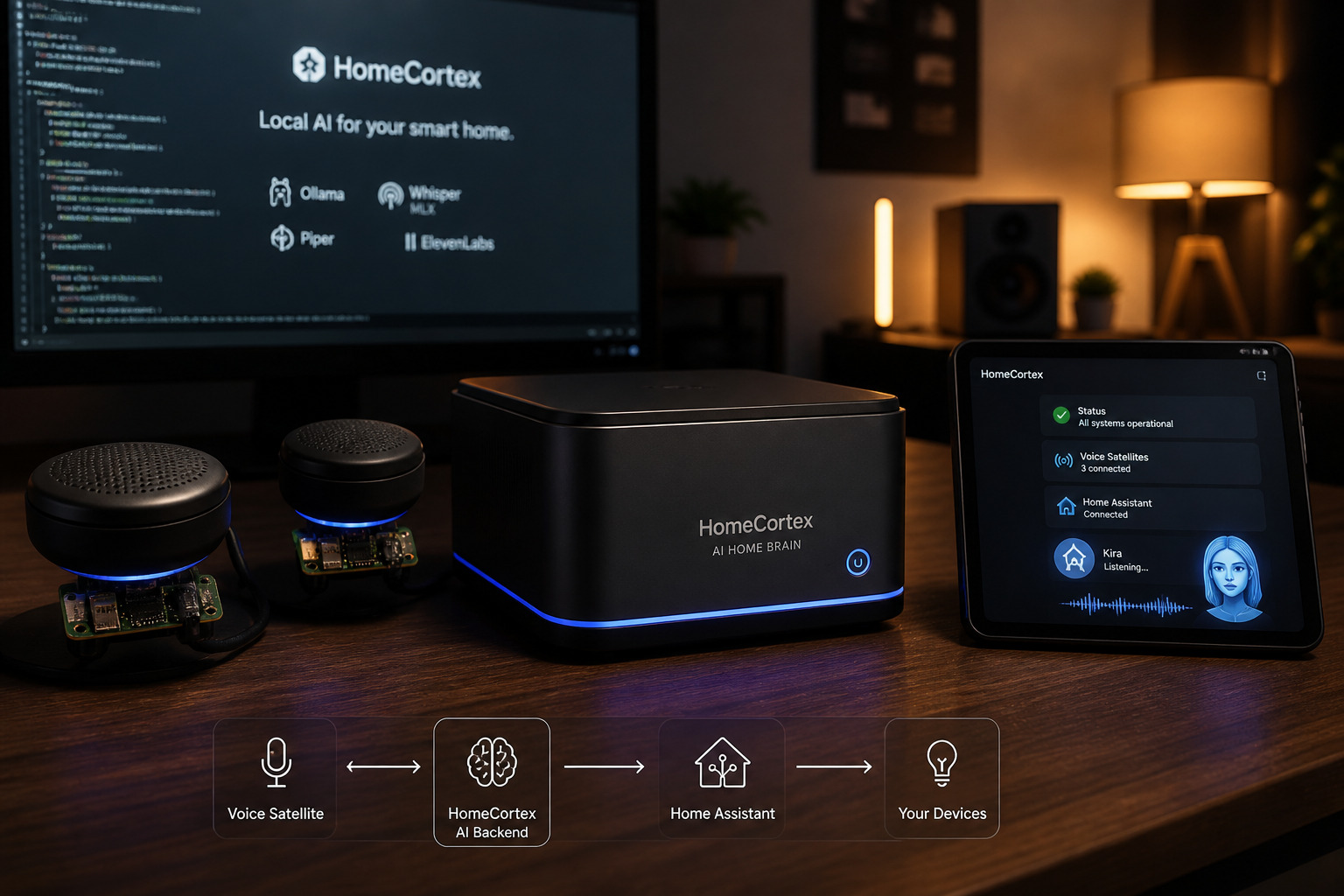
In May 2026, I published my first article about HomeCortex , a local-first voice assistant for the smart home connected to Home Assistant. The project already combined Whisper, Ollama, Piper, persistent memory, and distributed ESP32-S3 voice satellites.
That first phase answered an essential question: can we build a genuinely useful home voice assistant without relying on a cloud service?
The answer was yes. However, turning a working prototype into a service that can run continuously raises a new set of questions. How do you install it cleanly? How do you update it without losing configuration? How can you monitor its components, inspect logs, or restore its data after a problem?
The HomeCortex v1.2 release addresses these operational requirements. The current stable version, v1.2.1, introduces a complete installation and maintenance workflow together with a new local Control Plane and a bilingual English/French web dashboard.
The project remains open source under the MIT license:
🔗 GitHub repository: github.com/colussim/HomeCortex
🔗 HomeCortex v1.2.1: github.com/colussim/HomeCortex/releases/tag/v1.2.1
From an Application to a Managed Service
Until now, deploying HomeCortex still required some knowledge of the project structure, manual preparation of the Python environment, and a way to keep the different components running. This approach works during development, but it becomes fragile for a home automation service used every day.
With v1.2, installation is now configuration-driven. The user prepares a private init/ kit containing:
- secrets and tokens in
.env; - Kira and satellite configuration;
- personas and room groups;
- English or French prompts;
- optionally, SQLite databases from an existing installation.
This kit is ignored by Git. Private data remains separate from the source code and cannot accidentally be published in a commit.
Before making any changes, the installer checks the platform, validates the configuration, and verifies all prerequisites. On Apple Silicon, a platform diagnostic reports the processor, CPU cores, unified memory, Metal/MLX compatibility, the installed Ollama version, and a conservative recommendation for model size.
The complete installation plan can be inspected without changing the system:
./install.sh --init-dir ./init --dry-run
The initialization kit can also be validated independently:
./install.sh --init-dir ./init --validate-only
This validation step catches configuration errors before any service is installed or started.
Automated Installation
Ollama remains an external prerequisite: HomeCortex does not install it automatically. The installer does, however, verify that Ollama is available, start the local server when required, and check for the model declared in config/kira.yaml.
If that model is missing and model downloads are enabled in install.yaml, HomeCortex pulls only the configured model. A model that is already present is never downloaded again.
To install the stable version from Git:
git clone --branch v1.2.1 --depth 1 \
  https://github.com/colussim/HomeCortex.git

cd HomeCortex
./scripts/create-init.sh ./init
The private files must then be adapted to the local environment:
init/.env
init/config/
init/prompts/
Finally, validate the configuration and run the installer:
./install.sh --init-dir ./init --validate-only
./install.sh --init-dir ./init
On macOS Apple Silicon, runtime files are installed by default under:
~/Library/Application Support/HomeCortex
Kira Core and the Control Plane are registered as per-user launchd services. It is no longer necessary to keep processes alive manually in terminal sessions or through PM2. For Linux ARM64, the project also provides a deployment structure based on native systemd services.
A New Go and React Control Plane
The most visible addition is the HomeCortex Control Plane. It is a Go service that embeds its React interface directly into the executable. Once HomeCortex is installed, the dashboard is available locally at:
http://127.0.0.1:3210
The interface brings together operations that previously required several commands or direct access to multiple files.
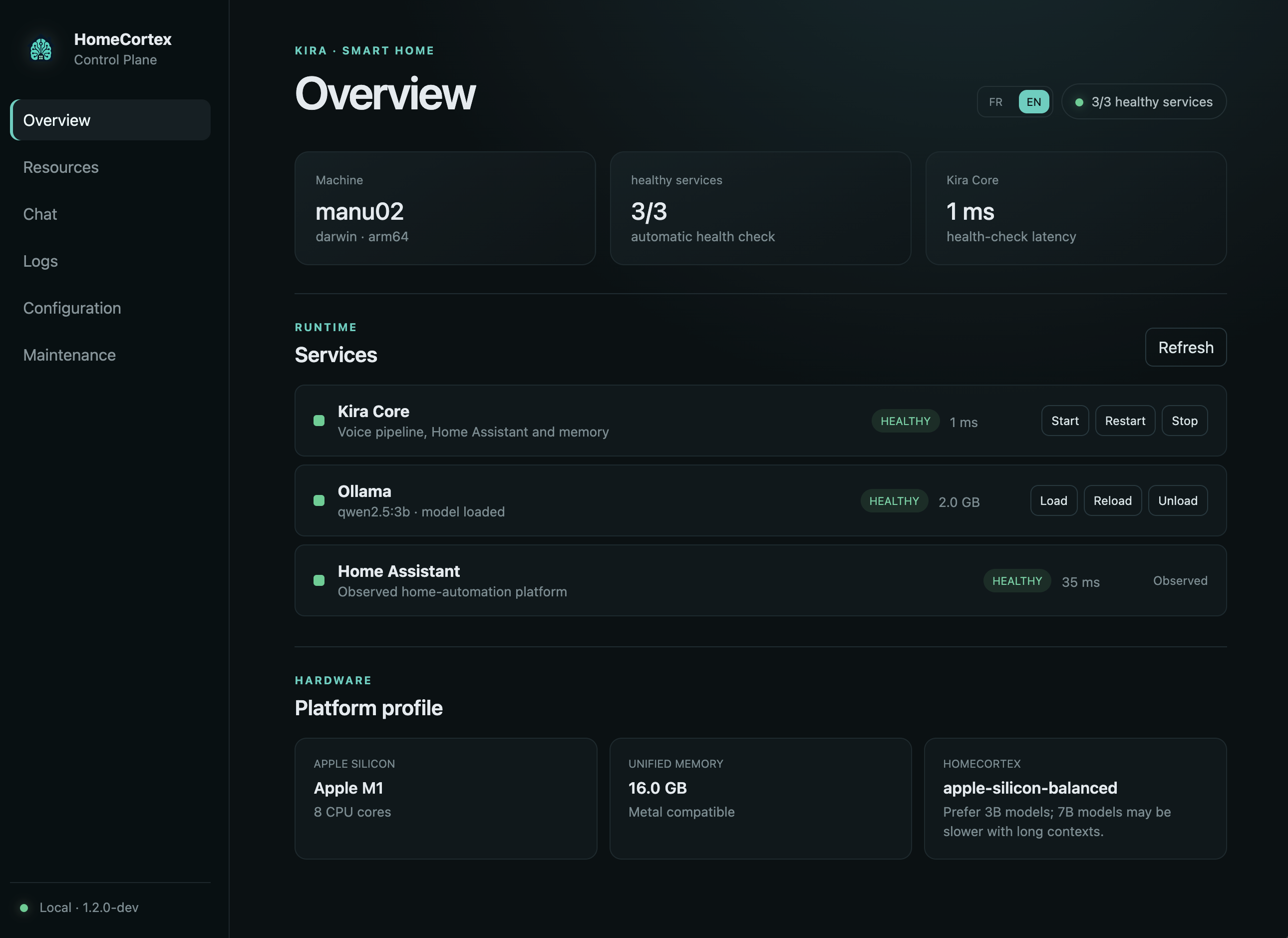
The HomeCortex Control Plane overview centralizes service health, Ollama controls, and Apple Silicon platform diagnostics.
Service Health
The dashboard reports the current status of:
- Kira Core;
- Ollama;
- Home Assistant;
- the Control Plane.
HomeCortex-managed services can be started, stopped, or restarted from the interface. Ollama remains an external service observed by HomeCortex rather than a component owned by it.
Ollama Model Management
The model selected in config/kira.yaml can be loaded, unloaded, or reloaded from the dashboard. Unloading the model is particularly useful when unified memory needs to be released during periods when no interaction is expected.
To reduce the risk of configuration errors, the browser cannot request an arbitrary model. The Control Plane can manage only the model explicitly configured for HomeCortex.
Resources and Platform Diagnostics
A dedicated monitoring page displays:
- CPU usage for HomeCortex processes;
- memory consumption;
- runtime storage usage;
- memory allocated to the active Ollama model;
- host network transfer rates;
- Metal and MLX platform compatibility.
The dashboard samples these metrics every two seconds and retains the latest two minutes in the browser. The objective is not to replace a full observability platform, but to make the most useful diagnostic information immediately available.
Live Logs
Service logs can be followed in real time from the dashboard. Sensitive values are masked before being streamed to the interface so that a token or private key is not inadvertently exposed.
Integrated Chat with Kira
The former standalone Web Chat application has been replaced by a conversation page integrated directly into the Control Plane. It can send text requests to Kira without using a voice satellite.
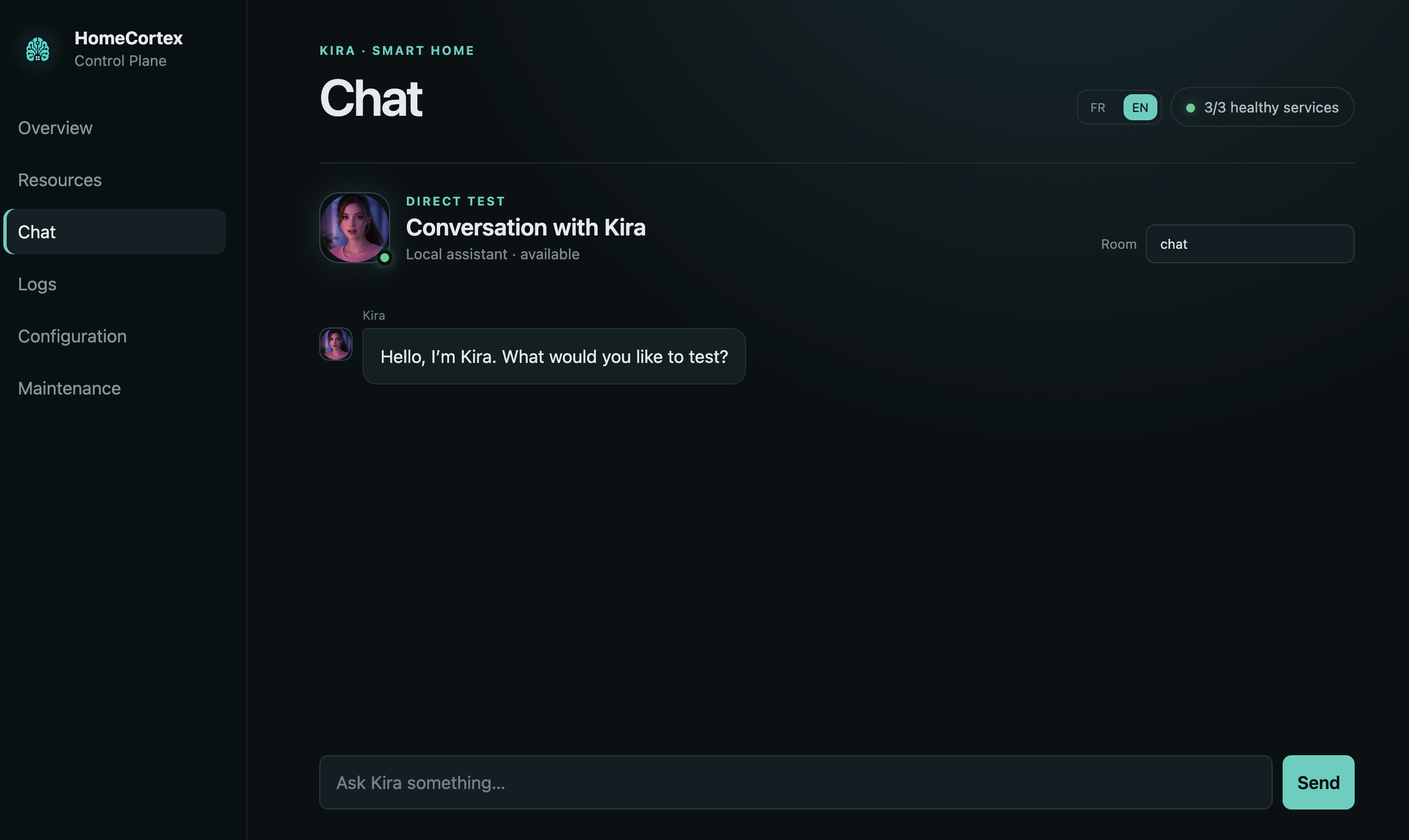
The integrated Chat page provides a direct local test interface for conversations with Kira.
This is particularly convenient when testing a prompt, a Home Assistant command, or the behavior of a new model.
Editing Configuration and Prompts in the Browser
The dashboard includes an editor for an explicit allow-list of files:
config/kira.yaml;- the English and French system prompts;
- the associated prompt suffix files.
Changes are not written without validation. File size is limited, YAML syntax is checked, the previous version is backed up, and the new content is installed using an atomic write.
The .env file is deliberately excluded from this API. Home Assistant tokens, ElevenLabs keys, and other secrets are never returned to the browser through the configuration editor.
Backups Before Updates
A home service must be able to evolve without losing its configuration, learned habits, or conversation history. HomeCortex v1.2 therefore introduces a local backup and restore mechanism.
Recovery archives can include:
.envsecrets;- configuration files;
- prompts;
- memory databases;
- application data;
- optionally, the TTS cache.
SQLite databases are copied using their online backup mechanism. Archives containing secrets remain on the local machine and are protected with restrictive 0600 permissions.
The same operations are available from the dashboard or the command line:
homecortex-maintenance list
homecortex-maintenance backup
homecortex-maintenance backup --include-tts
A restore operation creates its own recovery point before replacing files and then restarts Kira Core. Accepted archive paths are restricted to an allow-list, preventing writes outside the HomeCortex runtime.
A Safer Update Process
To update an existing installation from the repository:
git pull
./update.sh --init-dir ./init
Before changing the runtime, update.sh creates a mandatory recovery archive. If the backup cannot be created, the update stops before modifying the installation.
By default, the following runtime data is preserved:
.env
config/
prompts/
data/
The updater then installs the new application code, Control Plane, dependencies, and service definitions before restarting the services.
The active configuration can be deliberately replaced with the current private initialization kit when required:
./update.sh --init-dir ./init --apply-init
This distinction matters. Updating the application must not silently overwrite Kira’s personality, the registered satellites, Home Assistant aliases, or the accumulated memory of the household.
Uninstalling Without Losing Data
The default uninstall workflow also favors data preservation:
./uninstall.sh --keep-data
This command removes services and executable components while preserving configuration, secrets, prompts, databases, models, logs, and recovery archives.
A complete removal requires an explicit purge mode and confirmation:
./uninstall.sh --purge
Ollama, Ollama models, Home Assistant, and the system Python installation are never removed by this process.
v1.2.1: More Reliable Answers About Known People
The v1.2.1 maintenance release complements the operational improvements with safer handling of questions about household members.
Known people can now be described through structured responses in config/personas.yaml. Questions about identity and family relationships are routed locally before Ollama or Web search can be invoked.
This prevents two undesirable behaviors:
- the LLM inventing relationships or dates concerning a known person;
- an Internet search being triggered merely because a family name was spoken.
Exact identity responses declared in the active prompt retain priority over persona fallbacks. Automated tests cover accented aliases, unknown people, family fallbacks, and exact prompt rules.
Local-First Does Not Necessarily Mean Offline
The main HomeCortex pipeline remains designed to run locally:
- Whisper for speech recognition;
- Ollama for LLM inference;
- Piper for speech synthesis;
- SQLite for persistent memory;
- Go and React for local administration.
Some integrations remain optional network services when enabled, including ElevenLabs, weather providers, and Web search.
This distinction is important. The architecture gives control to the operator: core functions can remain inside the local network, while external services are used only when deliberately configured.
What This Release Really Changes
HomeCortex v1.2 is not simply a graphical interface added on top of the existing application. It formalizes the complete operational lifecycle:
Prepare → Validate → Install → Monitor
   ↑                            ↓
Restore ← Back up ← Update
This operational layer may appear less spectacular than a new voice or a more powerful model, but it is essential. A home assistant becomes genuinely useful when it can run every day, start with the host machine, be diagnosed quickly, and evolve without putting its data at risk.
HomeCortex remains a personal laboratory for local AI, home automation, embedded systems, and edge computing. With this release, it also becomes a platform that is significantly easier to deploy, operate, maintain, and share.
🔗 Source code: github.com/colussim/HomeCortex
🔗 Installation documentation: docs/INSTALLATION.md
🔗 Control Plane documentation: docs/CONTROL-PLANE.md
🔗 Release history: CHANGELOG.md